Tool
Hermes Agent Dashboard: Setup, Security, and Localhost Troubleshooting
Open the Hermes Agent Dashboard on localhost:9119, see what Web UI can and cannot do, fix blank-screen, asset, auth, and WebSocket failures, and choose self-hosted or managed access.
Quick answer
Run `hermes doctor`, then `hermes dashboard --status`. If no dashboard is running, start `hermes dashboard --no-open` and open `http://127.0.0.1:9119`. A browser error at localhost is not one generic failure: prove the process, listening port, built frontend, selected profile, authentication, and PTY/WebSocket path in that order. The self-hosted dashboard is the browser control plane for profiles, sessions, logs, cron, skills, MCP, channels, and TUI Chat; it does not manage the host, security, backups, provider accounts, or gateway recovery for you. Use FlyHermes when the requirement is managed browser/mobile access and channel uptime rather than operating this control plane.
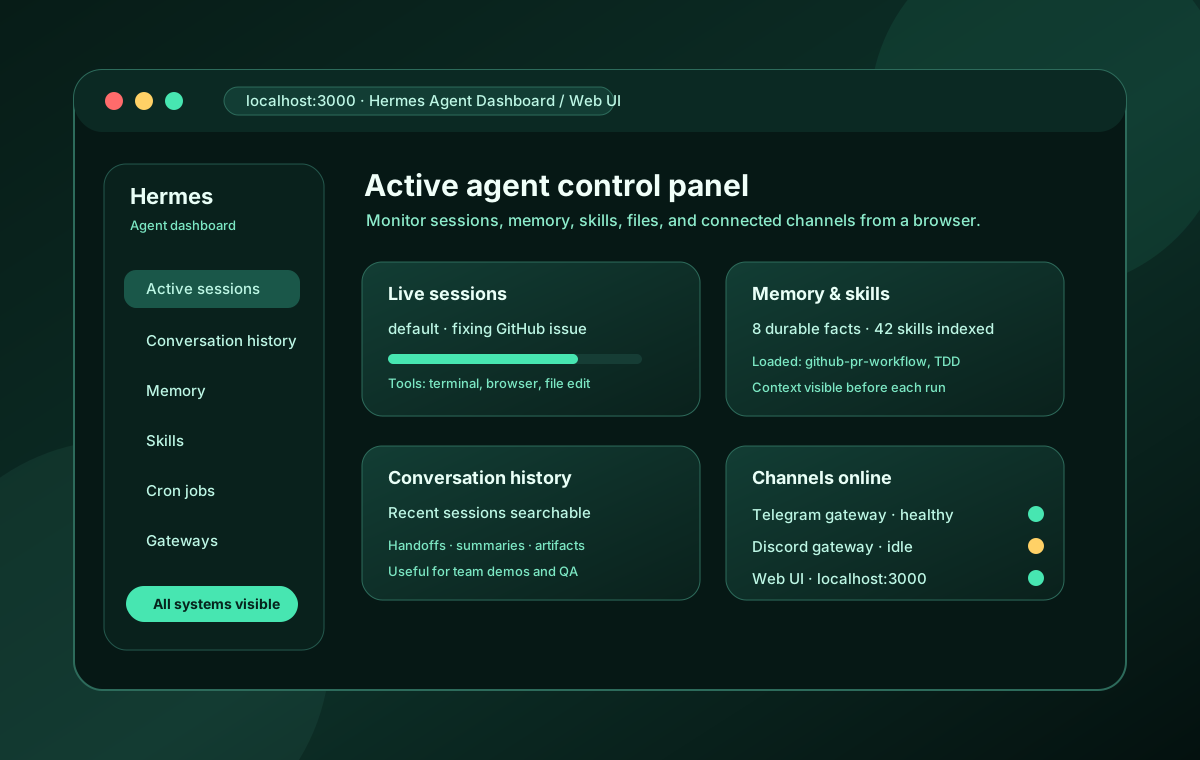
Hermes Web UI is the browser control plane for a Hermes installation. Run it locally to manage profiles, configuration, credentials, sessions, analytics, logs, cron jobs, skills, MCP servers, channels, pairing, and system health; the Chat tab embeds the real Hermes TUI. It is not managed hosting: you still own the machine, updates, authentication, HTTPS or private networking, backups, provider accounts, gateways, and recovery. The dashboard separates human chats from automation sessions, warns about memory or disk pressure, and exposes the status needed to diagnose a blank Desktop client or a remote WebSocket failure. Keep this admin surface private, and prove every messaging or scheduled workflow in its real destination. If the actual requirement is managed browser/mobile access and channel uptime rather than operating this control plane, use FlyHermes.
Hermes Agent Web UI Dashboard – All Features Explained — BoxminingAI
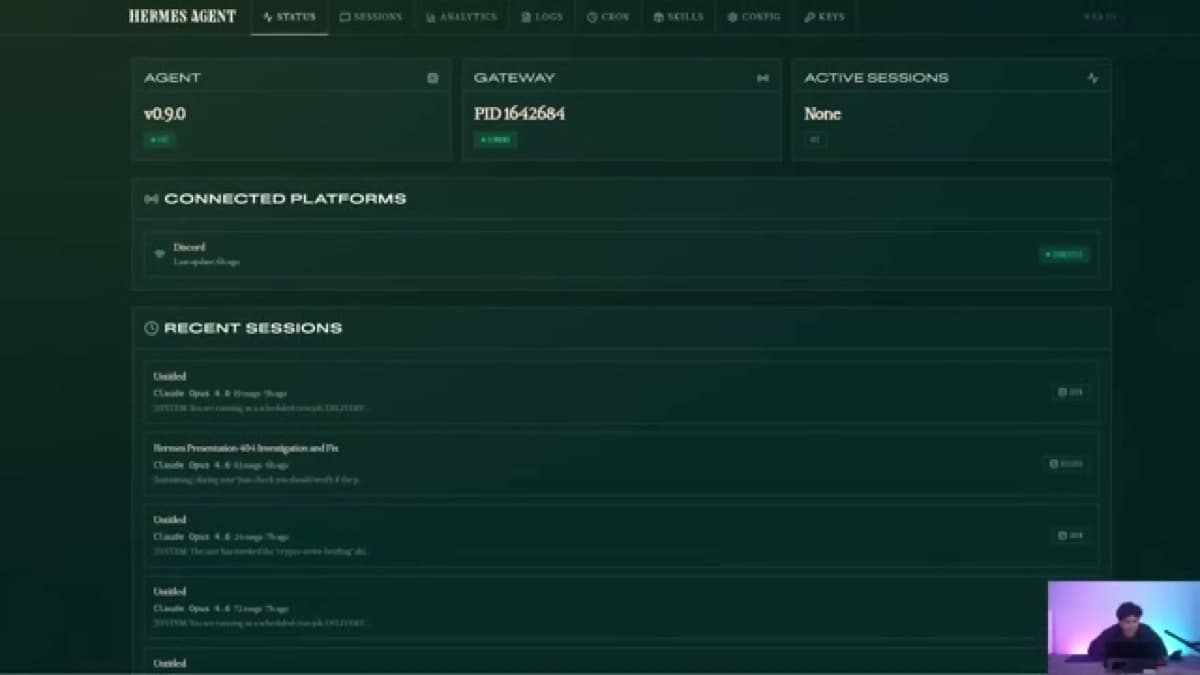
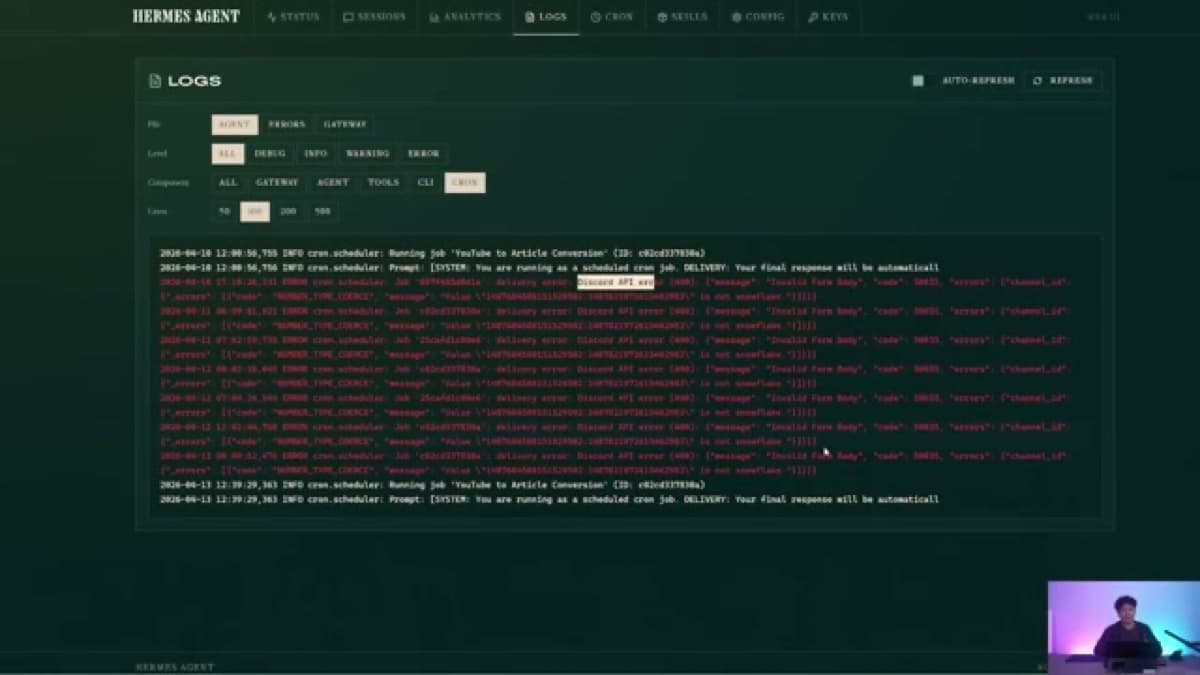
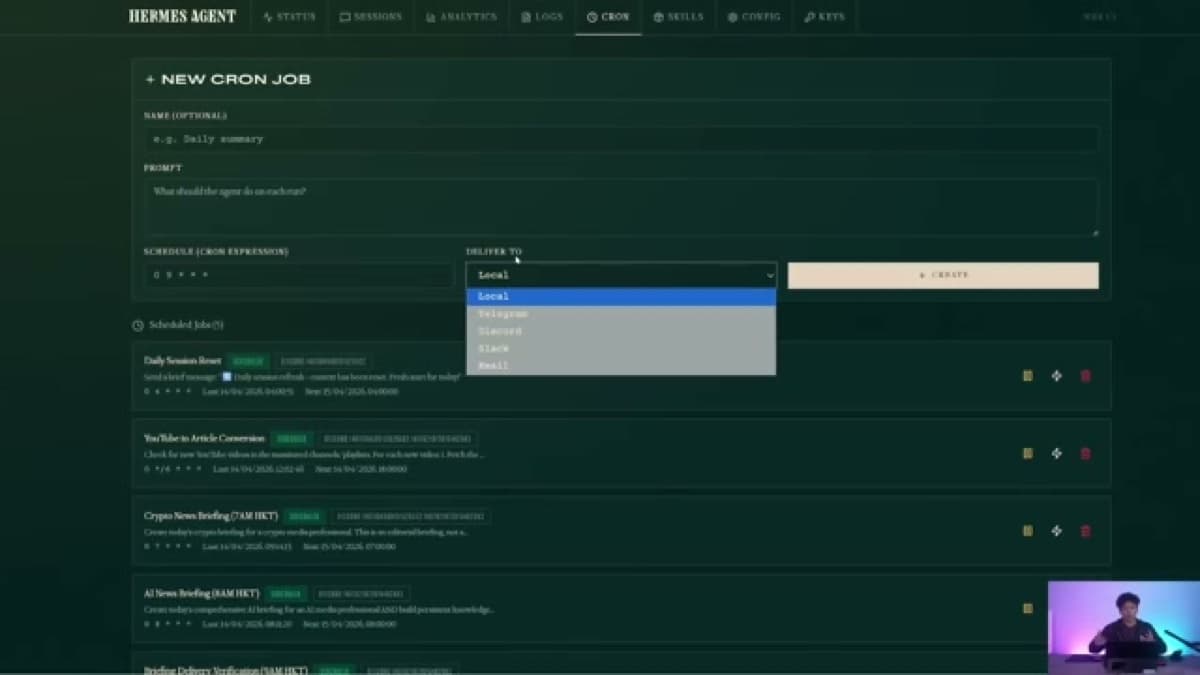
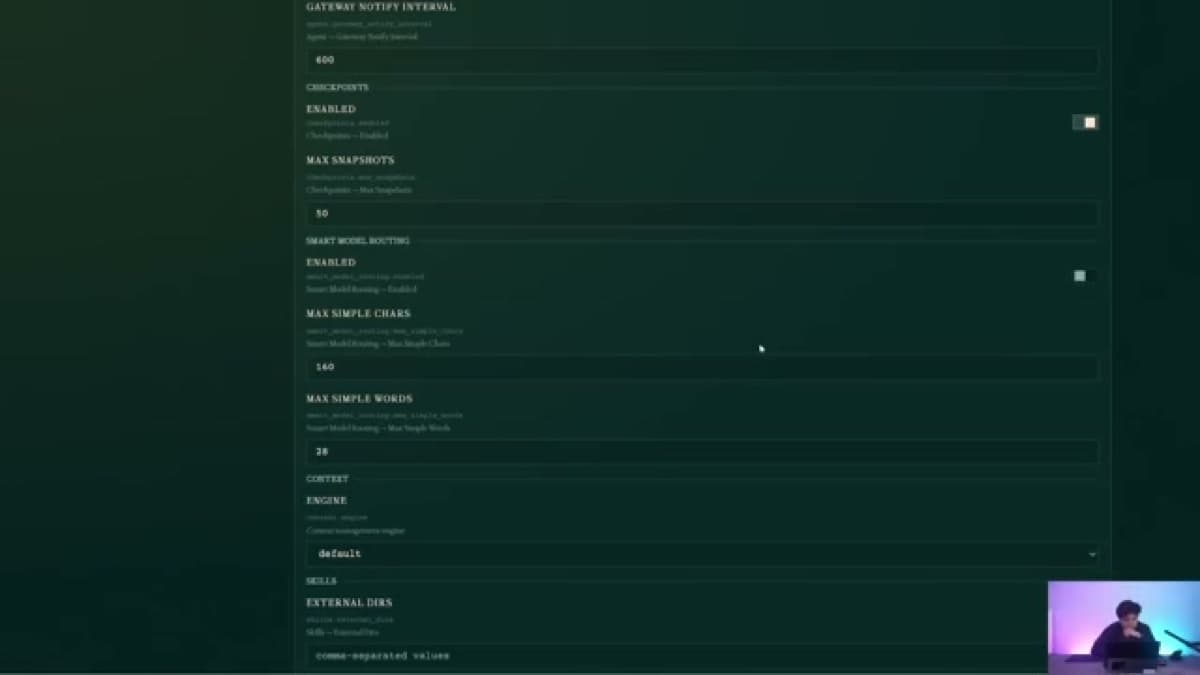
Ron from BoxminingAI walks through the Hermes Agent web dashboard feature-by-feature. He shows how to launch it with `hermes dashboard`, access it via SSH tunnel from a VPS on port 9119, and use every major section: Sessions (including system cron messages), Analytics (token usage and per-model breakdown), Logs (for debugging failed cron jobs), Cron Jobs (create schedules with delivery to Discord/Telegram/email), Skills (browse all installed skills by category), and Config (fallback providers, gateway timeout, smart routing, memory, display, and auxiliary sub-agent settings).
- 0:00Introduction – live web dashboard overview
- 0:47Launching: `hermes dashboard` and port 9119
- 1:10VPS access via SSH tunnel (not direct link)
- 2:30Sessions tab – chat and system cron messages
- 4:10Analytics – API calls, token usage, per-model breakdown
- 5:00Logs – debug failed cron jobs
- 5:50Cron Jobs – create schedules and delivery targets
- 7:40Skills – browse installed skills by category
- 9:10Config – fallback providers, timeout, memory, routing, auxiliary
Setup steps
- 1Run `hermes doctor` and a one-query CLI smoke test before opening Web UI.
- 2Start locally with `hermes dashboard`; the default URL is `http://127.0.0.1:9119`.
- 3Use `--port`, `--no-open`, or `--skip-build` only for the specific port, headless, or prebuilt-frontend problem they solve.
- 4For a private VPS, keep the dashboard on loopback and use an SSH tunnel or VPN.
- 5Choose authentication for the exposure: built-in username/password only on trusted networks or VPNs; Nous OAuth or OIDC for public HTTPS. Verify signed-out management requests are denied before sharing the URL.
- 6Check the selected profile, sessions, analytics, logs, cron jobs, skills, MCP, config, and gateway state in that order.
- 7Finish with one real browser Chat response, Telegram/Discord message, or cron delivery; dashboard status alone is not end-to-end proof.
Command map
hermes doctor && hermes dashboardVerify the installation and open the local dashboard on port 9119.
Fix CLI/provider/config failures before diagnosing Web UI.
hermes dashboard --port 9120 --no-openChoose another port and suppress browser launch on a server or SSH session.
A different port is not an access-control boundary.
ssh -L 9119:localhost:9119 user@your-vpsReach a loopback-only dashboard on a VPS without publishing the admin port.
Prefer a tunnel or VPN over a raw public bind.
hermes dashboard --statusList running dashboard processes before starting a duplicate server.
Dashboard process health does not prove gateway delivery.
hermes dashboard --stopStop running dashboard processes cleanly before changing bind, auth, or profile isolation.
This does not stop separately managed Telegram, Discord, or other gateway services.
hermes dashboard --isolatedRun a dedicated dashboard scoped to the named profile rather than the unified machine dashboard.
Use only when separate profile auth or network boundaries are intentional.
hermes dashboard register --name "My Hermes server"Register a self-hosted dashboard with Nous Portal when you want the OAuth login gate.
A public deployment still needs HTTPS, firewalling, and a deliberate auth configuration.
HERMES_DASHBOARD_PUBLIC_URL=https://dashboard.example.com hermes dashboard --host 0.0.0.0 --port 9119 --no-openRun an OAuth-registered dashboard behind Cloudflare Tunnel or another HTTPS reverse proxy with the correct callback authority.
Verify `/api/status` reports `auth_required: true`; Cloudflare Tunnel alone is not an authentication provider.
hermes pm repairRepair damaged managed dependencies, then restart Hermes. Current standard PM setup includes the web stack; PTY helpers are core dependencies rather than a separate optional feature.
On native Windows, use WSL2 for the PTY-backed Chat tab.
hermes dashboard register --redirect-uri https://dashboard.example.com/auth/callbackRegister the exact public HTTPS callback for Nous OAuth on the owning host; replace the example hostname and align HERMES_DASHBOARD_PUBLIC_URL.
Portal sign-in, callback completion and a valid dashboard session are separate checkpoints. Do not share full authorization URLs, codes or cookies.
Run the dashboard persistently on Linux
Use a systemd user service under the same Linux account that owns Hermes and can access Docker. This private-by-default unit keeps Web UI on loopback; use an SSH tunnel or VPN for remote browser access.
[Unit]
Description=Hermes Agent Web Dashboard
Wants=network-online.target
After=network-online.target

[Service]
Type=simple
WorkingDirectory=%h/.hermes/hermes-agent
EnvironmentFile=%h/.hermes/.env
Environment=PATH=%h/.local/bin:/usr/local/bin:/usr/bin:/bin
ExecStart=%h/.hermes/hermes-agent/venv/bin/python -m hermes_cli.main dashboard --host 127.0.0.1 --port 9119 --no-open --skip-build
Restart=on-failure
RestartSec=5

[Install]
WantedBy=default.target- 1Save the unit as `~/.config/systemd/user/hermes-dashboard.service`. If Hermes or its virtual environment lives elsewhere, replace `WorkingDirectory` and `ExecStart` with the real paths.
- 2As the same Hermes user, run `docker ps` first if the agent uses the Docker terminal backend. Fix group/socket access before starting the service; do not run the dashboard as root as a workaround.
- 3Run `systemctl --user daemon-reload && systemctl --user enable --now hermes-dashboard.service`, then `sudo loginctl enable-linger "$USER"` if it must start at boot before login.
- 4Verify `systemctl --user status hermes-dashboard.service`, `journalctl --user -u hermes-dashboard.service -n 100 --no-pager`, and `curl -s http://127.0.0.1:9119/api/status`.
- 5Keep the messaging gateway independent with `hermes gateway install` and `hermes gateway status`, then prove one real channel delivery. Tunnel port 9119 for remote browser access instead of publishing the admin port.
Self-hosted Web UI or FlyHermes?
Choose self-hosted Web UI
You want to own the runtime and inspect profiles, sessions, logs, schedules, tools, providers, and gateways inside a private admin boundary.
Avoid when: Your team wants managed browser/mobile access and always-on channels without server operations.
Choose Desktop with a remote backend
You want the native project, files, terminal, artifacts, and Git workspace while an always-on machine owns the Hermes runtime.
Avoid when: You only need browser administration, or nobody wants to maintain the remote host, authentication, updates, and WebSocket path.
Choose FlyHermes
You want browser/mobile chat, connected channels, managed uptime, and less VPS, provider-key, reverse-proxy, and gateway maintenance.
Avoid when: You specifically need to own and customize every part of the runtime.
Use both for diagnosis or migration
Keep Web UI as the self-hosted control-plane reference while moving production access or channel uptime to FlyHermes.
Avoid when: You are using the dashboard as an excuse to publish an unprotected admin port.
What you can verify
Features
- ✓v0.20 Desktop artifacts, plugin SDK, quick entry, and multiple-window workflows remain distinct from the self-hosted Web UI control surface
- ✓Machine-level profile switcher for Config, API Keys, Skills, MCP, Models, and Chat
- ✓Status overview for version, gateways, active sessions, and recent sessions
- ✓Sessions, analytics, token usage, logs, and resume controls
- ✓Cron job creation, run state, schedules, and delivery inspection
- ✓Skills, MCP catalog, tool selection, model, provider, and configuration management
- ✓Browser Chat powered by the real Hermes TUI over an authenticated PTY/WebSocket
- ✓Default localhost access on port 9119 with custom port and headless launch options
- ✓Fail-closed authentication for non-loopback binds using password, Nous OAuth, or OIDC
- ✓Unified machine dashboard by default, plus `--isolated` for intentional per-profile servers
- ✓Remote Hermes Desktop backend support through `hermes serve` or the dashboard server
- ✓Bot Mode boundary: Bots are isolated Hermes profiles, while the Bots roster, canonical chats, routines, and cross-machine connections live in Desktop
- ✓Dashboard process controls with `--status` and `--stop`
- ✓Clear boundary: self-hosted operations in Web UI; managed browser/mobile/channel uptime in FlyHermes
- ✓Chats, Automation, and All session filters with exact-source filtering and FTS5 message search
- ✓Resource-pressure warnings for low memory, suspected OOM restarts, and low disk space
- ✓Browser management for channels, pairing, webhooks, system health, updates, and credentials
- ✓Cron lifecycle inspection across scheduled, paused, completed, and blocked configuration states
- ✓Run-history and delivery-error separation so operators do not rerun completed side effects
- ✓Embedded TUI Chat with slash commands, model picker, tool-call cards, and clarify, sudo, and approval prompts
- ✓Kanban board for watching tasks, dependencies, assignees, worker runs, and dispatcher state
- ✓Dashboard themes and plugins for custom tabs, page slots, and authenticated backend endpoints
- ✓Clear interface boundary: Desktop is chat-first and multi-connection; Web Dashboard is the browser admin/control plane
Why this tool matters
For an internet-facing dashboard, choose Nous OAuth or a conformant OIDC provider. The built-in username/password provider is intended only for a trusted network or VPN. A public reverse proxy to a loopback dashboard does not automatically activate Hermes authentication: check the bind, require authentication, restrict origin access and verify an unauthenticated management request is denied. A green public /api/status response is not that test.
The dashboard is for operating a Hermes installation, not merely viewing a chat transcript. It brings profile state, sessions, analytics, logs, cron jobs, skills, MCP tools, model/provider settings, and gateway status into one browser surface.
Treat Desktop, Web UI, and the backend as separate failure layers. If Desktop fails after an update but `hermes dashboard` opens, the core runtime is probably alive and the native client needs repair. If neither opens, start with `hermes doctor`, the provider smoke test, and current logs.
On WSL, browser reachability depends on where the dashboard process is bound and which environment owns `HERMES_HOME`. Native Windows and WSL are separate installations; a healthy dashboard with unexpected sessions or settings often means the browser reached the other runtime.
A remote Desktop status probe can pass while live Chat fails because Chat also needs authentication and a working WebSocket. Test the exact remote URL from Desktop, then open Web UI against the same backend and compare the selected profile before changing provider credentials.
Do not describe Bot Mode as a second agent runtime. Each Bot is a Hermes profile under `~/.hermes/profiles/<name>/`, with isolated config, memory, skills, credentials, and history. The Desktop Bots tab renders the roster and persistent Bot Chat; CLI parity remains available through `hermes -p <bot> chat` and profile commands.
Bot routines are profile-scoped Hermes cron jobs, commonly named `[bot:<name>] <routine>`. Inspect them in the Desktop Routines pane or with `hermes cron list`; verify run history and the real delivery target instead of expecting every run to appear as a normal conversational reply.
For multiple machines, the Bot belongs to the backend that owns its profile. Desktop Connections can show and route to Bots across local, remote, SSH, cloud, and Docker backends, but the Bot's memory, sessions, tools, and routines stay on the owning machine. A roster mismatch is therefore a connection/backend inventory problem before it is a memory problem.
Start with the active profile. Config, API Keys, Skills, MCP, Models, and Chat follow the profile switcher. Gateway services remain profile-specific, so verify the bot-owning profile with `hermes -p <name> gateway status` when a channel is silent.
Use Sessions and Logs to reconstruct what happened. Sessions include CLI, gateway, and scheduled runs; Logs expose provider, cron, and delivery failures that a green status card can hide.
Use Analytics to identify token and provider usage before changing models or fallbacks. Cost control is an operational workflow, not only a model-price comparison.
Use the Cron page to inspect schedules and delivery targets, but verify the actual destination. A job is not successful because it appears enabled; it is successful when its expected report or artifact arrives.
The browser Chat tab embeds the real TUI. Current docs make PTY dependencies core and include the web stack through standard PM setup; it belongs behind the same trusted boundary as API keys, logs, sessions, and configuration controls.
Localhost is the simplest secure default. For remote private access, use an SSH tunnel or VPN. If you bind to a non-loopback address, Hermes now requires a configured password, Nous OAuth, or OIDC provider and fails closed when none is available.
`--insecure` is retained only as a deprecated compatibility flag. It is a no-op and cannot be used to bypass dashboard authentication.
Use `--status` to find running dashboard processes and `--stop` before changing ports or auth. Use `--isolated` only when a named profile truly needs a dedicated server and separate exposure boundary.
Hermes Desktop remote mode normally connects to a headless `hermes serve` backend; `hermes dashboard` can expose the same backend plus Web UI. The public status probe is not enough: authentication, host binding, and the live WebSocket path must all succeed.
The self-hosted dashboard reduces terminal friction but does not own the server, HTTPS, authentication, backups, provider credentials, gateway uptime, or incident recovery.
FlyHermes is the managed path when the outcome is reliable browser/mobile use and connected channels rather than operating a private control plane.
When a session appears missing, use the Sessions view as orientation, then run `hermes sessions stats` and FTS5 session search before declaring corruption. The active session may be excluded from a picker and messaging views can be origin-scoped.
Desktop Remote Gateway normally uses `hermes serve` on port 9119; `hermes dashboard` can provide the same backend plus Web UI. OpenAI-compatible clients use the separate API server on port 8642, and each profile gateway still needs an end-to-end channel test.
A Cloudflare Tunnel or reverse proxy does not make the dashboard safe by itself. For a public hostname, register Nous OAuth (or configure OIDC), set `HERMES_DASHBOARD_PUBLIC_URL=https://dashboard.example.com`, run the dashboard on port 9119 with a non-loopback bind so the auth gate engages, and point the tunnel at that local origin. Verify `/api/status` reports `auth_required: true` before signing in.
When a channel is connected but silent, leave the dashboard open as context and run `hermes -p <name> gateway status --deep --full` from a normal terminal. Check for the wrong profile, stale child, or duplicate service, then prove recovery in the exact chat or thread.
A session can look missing when the Sessions page is still on its default Chats filter. Cron, tool, API, ACP, and other automation runs live under Automation or All; Telegram and Discord rows can also be narrowed by exact source. Select the owning profile first, then change the filter before assuming state was lost.
The Status page is also a host-health surface. Current Hermes can warn when available memory or free space crosses elevated or critical thresholds and can flag a suspected out-of-memory restart from the lifecycle ledger. Dismissal is scoped to the current gateway boot, so a restart or escalation reopens the warning.
A blank or timed-out Desktop window does not prove the Hermes runtime is dead. Current community support shows the useful fallback: verify the CLI, launch `hermes dashboard --skip-build --no-open` when prebuilt assets exist, and point `HERMES_WEB_DIST` at `hermes_cli/web_dist` if a reduced PATH hides npm. Preserve profiles and sessions while isolating the client layer.
Remote readiness and remote Chat are different tests. Desktop's readiness probe can succeed through public `GET /api/status`, while live Chat still fails authentication or the WebSocket guard. After signing in, inspect dashboard and Desktop logs from the same retry window: close code 4401 points to ticket authentication; 4403 points to Host or peer rejection.
The commercial boundary is operational ownership. Web UI makes self-hosted Hermes easier to inspect, but the operator still owns the machine, auth, HTTPS or private network, updates, backups, model accounts, and messaging gateways. FlyHermes is the managed path when those chores are not the work the buyer wants.
The current Web Dashboard is not a thin status page. Its embedded Chat tab runs the real Hermes TUI behind a PTY/WebSocket, so slash commands, streamed Markdown, model selection, tool-call cards, and approval prompts stay available in the browser. Native Windows can use the management pages, but the PTY-backed Chat surface requires WSL2.
Use Kanban when the question is whether delegated work is actually moving. The board exposes tasks, dependencies, assignees, worker runs, profile lanes, and dispatcher controls; it complements Sessions and Logs rather than replacing execution verification.
Dashboard themes and plugins extend the self-hosted control plane. Themes change the visual system; plugins can add tabs, augment built-in pages, and call authenticated dashboard APIs. This is separate from the native Desktop plugin SDK, so choose the extension surface that matches where operators will work.
A current Desktop connection test checks both HTTP and WebSocket legs. For multi-machine work, name each local, remote, SSH, or cloud connection, test it from Settings → Gateways, and remember that sessions, memory, cron jobs, and messaging state stay on the machine that owns the selected profile.
Use a six-layer recovery ladder when `127.0.0.1:9119` does not open. First run `hermes doctor`; then `hermes dashboard --status`; start one process with `hermes dashboard --no-open`; confirm the exact URL and port printed by that process; repair missing frontend assets with the source checkout's `web` build or `HERMES_WEB_DIST`; finally test browser Chat separately from the status page because PTY/WebSocket auth can fail after ordinary HTTP succeeds. Do not rotate provider keys, delete profiles, or reinstall before this ladder identifies the failing layer.
Treat an Agent versus Dashboard version mismatch as a release-skew problem before treating it as lost state. Run `hermes --version`, inspect the dashboard's displayed version and source checkout, then confirm which executable and `HERMES_WEB_DIST` the running dashboard process uses. Stop the old dashboard process, update or rebuild one installation, and relaunch it against the same `HERMES_HOME`. Preserve profiles, sessions, memory, skills, and cron state; deleting them cannot repair a stale frontend bundle or an old long-running backend.
Choose by the work you want to own. The self-hosted Dashboard gives operators control over sessions, logs, schedules, providers and gateway health. FlyHermes is the managed option when you want browser/mobile access but not the responsibility for keeping the host and gateway running.
Best use cases
How this fits with Hermes Agent
Choose the workspace before starting a phone session
In the self-hosted Chat rail, select the profile and workspace before New chat. The directory choice is remembered per profile and applies to the next new session; Resume retains the existing session directory. On a narrow screen, open the rail as a slide-over. Rescan if a newly cloned repository is absent, then ask for a harmless working-directory check before permitting edits.
Distinguish dashboard health from Bot Screen capacity
A browser admin page, embedded TUI Chat and a Linux Bot Screen are different workloads. If an optional Screen refuses to start, identify its owning host or container and inspect available memory there; do not treat the refusal as proof that ordinary chat is broken. Confirm the required screen capability separately before buying managed hosting or a larger machine.
Keep the dashboard profile separate from the CLI default
The dashboard switcher chooses the profile whose management pages you read or edit. Setting a profile active changes the sticky default for future CLI or gateway runs; it does not replace the dashboard selection. Confirm the profile banner before changing keys or tools. Cron has its own cross-profile filter, and gateways remain independently managed per profile.
Check provider health, not just dashboard status
First select the profile that owns the failing session. In API Keys, distinguish LLM Provider credentials from Tool API Keys: a key marked as set proves only that a value is stored, not that the provider accepts it or has credit. Run doctor from System → Operations for configuration and dependency diagnostics. Then send one short request in Chat and inspect the same session in Logs, including the actual model/provider used. A successful /api/status response reports dashboard and gateway state; it is not a live inference test. If a fallback answered, that does not prove the original provider recovered.
What the dashboard does
It helps operators inspect and manage local Hermes state: active profile, config, sessions, memory, skills, tools, cron jobs, model/provider state, logs, gateway health, and browser Chat when enabled.
What the dashboard does not do
It does not magically host Hermes, secure a VPS, keep Telegram/Discord online, pay provider bills, replace `hermes doctor`, or prove channel delivery without an end-to-end message test.
When to stop self-hosting the dashboard
If the team wants browser/mobile access, connected channels, bundled API costs, and uptime without owning Docker, nginx, secrets, and restarts, the dashboard is showing you a FlyHermes use case.
Local Hermes Web UI for solo operators
Run Hermes on your laptop, start hermes dashboard, and use WebUI to confirm configuration, memory, skills, tools, cron jobs, sessions, and channel health.
Gateway recovery checkpoint
When Telegram or Discord stops replying, open WebUI to confirm the active profile, provider state, gateway service, and recent cron/tool configuration before rotating tokens or rebuilding the bot.
Protected dashboard for VPS/self-hosting
Run WebUI on a server only behind a private/protected route. Pair it with Docker/VPS/security guides so the dashboard does not become a public admin panel.
Managed cloud chat with FlyHermes
Use FlyHermes when the actual need is browser chat, phone access, Telegram/Discord setup, and hosted uptime without Docker, nginx, provider keys, and gateway maintenance.
Integration debugging surface
When Telegram, Discord, GitHub, VS Code, or MCP tools behave oddly, WebUI gives a visual checkpoint before dropping into logs and CLI commands.
When chat works but web search fails
Test the failing capability rather than repeatedly sending a greeting. A model reply does not exercise web search or extraction. Ask for one search on a public topic, inspect the actual tool result, and match its error to the tool provider's credentials in the selected profile. For a model failure, inspect the LLM provider instead. Keep the timestamp, provider/model or tool name, and redacted error; never paste API keys, authorization headers, or cookies into a support request.
Reader checkpoint before changing config
Use WebUI to confirm the actual profile, provider, memory, skills, tools, cron jobs, and gateway state before editing `.env`, config.yaml, Docker mounts, or Telegram/Discord credentials.
Dashboard-to-proof workflow
Use Web UI to inspect the runtime layer, then validate the actual user-facing outcome: a Telegram reply, Discord thread response, delivered cron report, browser Chat response, or provider/API call. The dashboard narrows the failure layer; it is not the final proof by itself.
Team/mobile decision workflow
If someone asks for the dashboard because they need teammates, phone access, connected channels, and uptime, decide whether this is really a FlyHermes managed-cloud use case before adding reverse proxies, public ports, or shared self-hosted admin credentials.
Claude Code alternative command center
Use Web UI when a coding-agent workflow grows from one active terminal into multiple sessions, scheduled checks, provider decisions, and Telegram/Discord delivery. Use FlyHermes when that command center needs to be hosted and maintained for you.
Dashboard-to-delivery proof loop
Inspect profile, provider, logs, cron, MCP/tools, and gateway state in Web UI; then prove the exact workflow with a delivered Telegram/Discord reply, a cron report, or a browser Chat response. Report both checks, not only the dashboard view.
Terminal-tab fatigue loop
When several agents, cron jobs, and providers are running, use Web UI to manage sessions and logs by goal. If the operator still has to babysit uptime, provider credits, and channels, compare FlyHermes before adding more VPS complexity.
Session-loss triage
Confirm the selected profile, inspect Sessions and Logs, run `hermes sessions stats`, then search one exact phrase. Back up before `hermes sessions repair`; use `--check-only` first.
Cloudflare Tunnel with a custom dashboard hostname
Use port 9119 as the tunnel origin, register Nous OAuth for an internet-facing hostname, set the exact HTTPS public URL for callback construction, and confirm the dashboard advertises an active auth provider. Port 8642 is the optional OpenAI-compatible API server, not Web UI.
Gateway incident checkpoint
Use Web UI to confirm the selected profile, provider, sessions, and logs, then move to the gateway runbook for deep process status and an end-to-end channel test. A green card is not transport proof.
Browser Chat with approvals
Use the embedded TUI when you need slash commands, live tool cards, clarification, sudo, or dangerous-command approval prompts from a private browser. This is a self-hosted PTY/WebSocket session, not FlyHermes cloud chat.
Kanban operations
Use the dashboard board to watch dependencies, profile lanes, assignees, worker runs, and dispatcher progress. Verify the final artifact or delivery outside the board before marking the workflow successful.
Custom operator views
Use dashboard themes and plugins for private tabs, page extensions, and authenticated backend routes. Use the separate Desktop plugin SDK only when the extension belongs in the native app.
Recover localhost:9119 without deleting state
Check doctor, process status, the actual listening port, frontend assets, selected profile, and browser Chat/WebSocket in sequence. Preserve HERMES_HOME; a browser connection error does not prove profile or session corruption.
Fix Agent and Dashboard version mismatch
Compare the CLI, running dashboard backend, frontend bundle, executable path, and HERMES_HOME. Stop the stale process, update or rebuild one installation, relaunch, and verify the same profile and session inventory before changing state.
Related Hermes Agent guides
Self-hosted dashboard or managed FlyHermes?
Choose by runtime ownership, required inputs, supported usage and a real acceptance test—not by whether the interface opens in a browser.
Secure the dashboard and verify denied access
Choose private access or public OAuth/OIDC, reconcile callbacks, check unauthorized management reads and separate gateway authorization from admin login.
How to use the Hermes Web UI safely
Exact dashboard command, port flags, server workflow, and security checklist for WebUI.
Hermes Desktop install troubleshooting on Windows
Fix PATH, npm proxy, dependency, provider, loading-screen, and WSL2 issues before diagnosing the dashboard.
FlyHermes managed dashboard and cloud chat
Choose FlyHermes when you want the hosted browser chat workspace, mobile access, connected channels, and managed uptime.
FAQ
Run `hermes doctor && hermes dashboard`, then open `http://127.0.0.1:9119`. Use `--port 9120` for a different port or `--no-open` on a headless server.
It manages and displays profiles, config, API keys, models, sessions, analytics, logs, cron jobs, skills, MCP, gateway status, and a browser Chat tab. The current Bots roster, canonical Bot Chats, Routines pane, and groups are Desktop Bot Mode surfaces.
Not as the same surface. A Bot is an ordinary isolated Hermes profile, so its config, memory, skills, sessions, and cron jobs remain visible through the dashboard and CLI. The dedicated Bots roster, canonical Bot Chat, Routines pane, groups, and cross-machine connection experience are built into Hermes Desktop.
Routines are profile-scoped Hermes cron jobs and also appear in `hermes cron list`, commonly with a `[bot:<name>]` prefix. Inspect their run history and explicit delivery target; do not assume every routine result becomes a permanent Bot Chat message.
Yes. The default machine-level dashboard has a profile switcher. Config, API Keys, Skills, MCP, Models, and Chat follow the selected profile; gateways remain separately managed per profile.
It starts a dedicated server scoped to a named profile instead of attaching to the unified machine dashboard. Use it only when separate profile auth or network boundaries are intentional.
No. It is deprecated and now a no-op. Since the June 2026 hardening, every non-loopback bind requires a configured password or OAuth provider and fails closed without one.
Prefer loopback plus an SSH tunnel or private VPN path. For a public HTTPS hostname use Nous OAuth or OIDC, restrict direct origin access, and verify unauthenticated management reads are denied. Built-in username/password auth is for trusted networks or VPNs only.
Yes. The Chat tab embeds the real Hermes TUI behind a PTY/WebSocket when the web and PTY dependencies are installed. On native Windows, use WSL2 for the PTY-backed Chat tab.
No. API Keys shows whether a credential is stored, not whether a live request will succeed. Select the affected profile, run doctor from System → Operations, and test the failing capability. Check Logs for the provider/model that actually answered, including any fallback. Test web search separately if that is what failed; a normal chat reply does not validate tool credentials.
No. It proves local control-plane state. The final proof is one real reply or delivery in the exact chat, topic, thread, email, or report destination.
Use `hermes dashboard --status` to list them and `hermes dashboard --stop` to stop them.
Run `hermes dashboard register` to register the self-hosted dashboard and save the OAuth client ID, then use the configured Nous Portal login gate for the deployment.
The status probe is less strict than the live WebSocket. Verify the dashboard is bound to a reachable host, authentication is configured, the Host header matches, and Desktop has signed in.
Build the frontend once from the Hermes source checkout, then use `--skip-build` or point `HERMES_WEB_DIST` at the built `hermes_cli/web_dist` directory.
No. Web UI is the self-hosted operations dashboard. FlyHermes is the managed cloud path for browser/mobile access, connected channels, and uptime without maintaining the runtime yourself.
Choose it when teammates need reliable browser/mobile access and connected channels but nobody wants to own VPS, authentication, HTTPS, provider keys, gateway restarts, and incident recovery.
No. Desktop Remote Gateway normally connects to the headless `hermes serve` backend on port 9119; `hermes dashboard` can provide the same backend plus Web UI. OpenAI-compatible clients use port 8642, which is a separate surface.
Yes, but the tunnel is transport, not authentication. For an internet-facing hostname, use Nous OAuth or OIDC, set `HERMES_DASHBOARD_PUBLIC_URL` to the exact HTTPS URL, run the dashboard on port 9119 with a non-loopback bind so the auth gate engages, and confirm `/api/status` reports `auth_required: true`. Do not expose ports 8642 or 8643 by mistake.
Sessions defaults to Chats, which hides cron, tool, API, ACP, and other automation runs. Select the owning profile, switch to Automation or All, then use the source filter or FTS5 search.
Yes. The Status page can show elevated or critical memory/disk warnings and a suspected OOM-restart warning from the lifecycle ledger. Treat the banner as host evidence and inspect matching logs before changing the agent configuration.
4401 means the WebSocket ticket did not authenticate. 4403 means the request guard rejected the connection, commonly because the Host header or remote peer does not match the dashboard bind and URL.
No. `/api/status` is a public readiness probe. Remote Chat separately requires a reachable non-loopback bind, an active authentication provider, a signed-in Desktop session, and a working `/api/ws` connection.
No. It proves schedule state. Inspect run history and last_delivery_error, then verify the actual message, file, commit, or live URL.
Yes. The dashboard Chat tab embeds the real Hermes TUI, including clarify, sudo, and dangerous-command approval prompts. Keep the dashboard private because those controls can authorize real actions on the owning backend.
Yes. The dashboard can display the Hermes Kanban board, task dependencies, assignees, worker runs, profile lanes, and dispatcher controls. Board state is operational visibility; verify the requested artifact or delivery separately.
No. Dashboard plugins extend the browser control plane with tabs, slots, and backend routes. Hermes Desktop has a separate native-app plugin SDK. Only use the SDK for the surface you intend to extend.
Usually no dashboard process is listening, it started on another port, the frontend assets are missing, or you are opening localhost on a different machine. Run `hermes doctor`, `hermes dashboard --status`, then `hermes dashboard --no-open`; use the exact URL printed by the running process. For a remote host, tunnel its loopback port instead of opening your laptop's localhost.
Compare `hermes --version` with the version shown by the dashboard, then identify the executable, source checkout, `HERMES_WEB_DIST`, and `HERMES_HOME` used by the running process. Stop the stale dashboard, update or rebuild the intended installation, relaunch it, and verify the same profile and sessions. A stale frontend or backend is not repaired by deleting agent state.
It does not operate your server, install OS updates, secure a public hostname, pay provider bills, restore backups, restart broken gateways, or prove delivery in Telegram, Discord, or a cron destination. Those remain operator responsibilities on a self-hosted deployment.
Use Dashboard for browser-based administration of a self-hosted runtime. Use Desktop for a native local or remote workspace with projects, files, terminal, artifacts, and Bot Mode. Use FlyHermes when the desired outcome is managed browser/mobile access and connected-channel uptime without maintaining the host and gateway yourself.
No. It sets the directory for the next new Chat on the selected profile. A resumed conversation keeps its existing working directory. Verify the actual directory before authorizing file edits, especially from a phone.